


What is a Small Laser Cutter and Engraver?
A small laser cutter and engraver is a compact, precision instrument that uses a high-power laser to cut or etch designs into various materials such as metal, wood, plastic, glass, and more. It operates by directing the laser beam at the material, which then either melts, burns, or vaporizes away, leaving behind a high-quality surface finish. These machines are often controlled by a computer, enabling the creation of intricate designs with utmost accuracy. Small laser cutters and engravers are ideal for small businesses, hobbyists, and educational settings due to their affordability, user-friendly nature, and smaller footprint compared to their industrial counterparts.
Understanding the Basics of Laser Cutting and Engraving
Laser cutting and engraving utilize the principles of optics and thermal dynamics. The laser, a highly concentrated beam of light, is guided by mirrors to the material’s surface. This concentrated energy heats, melts, or vaporizes the material, resulting in a cut or engraving. The process is managed by a computer system that dictates the laser’s movement, allowing for precision and complex designs. Cutting and engraving are differentiated by the laser’s intensity. Cutting requires higher power to penetrate the material completely, whereas engraving involves less power, merely altering the surface. The result is a clean, smooth, and highly detailed finish, making laser cutting and engraving an indispensable tool in manufacturing, design, and arts.
Differences Between CO2 and Fiber Laser Cutters
CO2 and Fiber laser cutters are both powerful tools used in various industries, but they have distinct differences. Here are the key points to consider:
- Type of Lasers: CO2 lasers use a gas mixture, with carbon dioxide as the primary component, while Fiber lasers use solid-state technology and a doped fiber optic cable.
- Materials: CO2 lasers are ideal for non-metallic materials and most metals, while Fiber lasers are particularly efficient at cutting metals and are not suitable for non-metals.
- Cutting Speed: Fiber lasers typically cut faster than CO2 lasers, particularly when cutting thin materials.
- Energy Efficiency: Fiber lasers are more energy-efficient than CO2 lasers, consuming less power for the same amount of work.
- Maintenance: Fiber lasers require less maintenance as they have fewer moving parts and no consumable parts such as laser gas.
- Lifespan: The lifespan of a Fiber laser is generally longer than that of a CO2 laser due to the solid-state nature of the Fiber laser.
- Cost: Fiber lasers are usually more expensive than CO2 lasers, but their lower operating costs can make them more cost-effective in the long run.
Applications for Small Laser Cutters in Various Industries
Small laser cutters have a broad range of applications across numerous industries.
- Manufacturing: Small laser cutters are used for cutting, drilling, and welding metals and plastics in the automotive and aerospace industries. They also find use in micro-machining applications like creating intricate patterns on small medical devices.
- Jewelry: In the jewelry industry, they are employed to cut complex and precise shapes from precious metals, carve intricate patterns, and even personalize pieces with engraved designs.
- Construction: They are used to cut architectural models from wood and acrylic, and for marking steel.
- Electronics: In electronics, they are used for etching printed circuit boards.
- Signage: Laser cutters are routinely used in the signage industry to cut signage in a variety of materials and engrave detailed designs.
- Textiles: In the textile industry, they are used to cut patterns and intricate designs on a variety of fabrics, and for etching designs on leather.
- Arts and Crafts: Craftsmen use small laser cutters to cut and engrave wood, acrylic, glass, and other materials for creating art pieces or various craft items.
- Medical Devices: They are used in the medical device manufacturing industry to cut, drill, and mark small, intricate parts.
- Education: In educational institutes, small laser cutters are commonly used in technology and engineering classes, allowing students to design and cut their prototypes.
Remember, the specific application of a small laser cutter will often determine the type of laser cutter (CO2 or Fiber) to be used.
The Advantages of Using Small Laser Cutter and Engraver Devices
Small laser cutters and engravers bring several substantial benefits to various industries:
- Precision and Accuracy: These devices offer high precision cutting and engraving down to the minutest details. The laser beam does not wear during the process, ensuring consistent quality over time.
- Speed and Efficiency: Laser cutters are faster than traditional cutting methods, enhancing productivity and turnaround times for projects.
- Versatility: These machines can cut or engrave a wide range of materials, including metal, glass, wood, and plastic, making them versatile tools in various industries.
- Non-Contact Process: As a non-contact cutting method, laser cutting reduces the risk of material deformation or damage, ensuring high-quality outputs.
- Automation and Integration: Laser cutters can be easily integrated into existing manufacturing processes and can be automated, reducing the need for manual labor and increasing operational efficiency.
- Safety: Laser cutting is a safer alternative to traditional cutting methods as the beam is enclosed within a light box.
- Cost-Effective: Over time, the reduction in waste, the speed of cutting, and the ability to cut intricate designs without the need for expensive tooling makes laser cutting a cost-effective option.
These advantages make small laser cutter and engraver devices an essential tool in manufacturing, crafting, and educational settings.
Choosing the Right Laser Power for Your Cutting and Engraving Needs
When determining the appropriate laser power for cutting and engraving, several factors need to be considered.
- Material Type: Different materials require different power levels for effective cutting or engraving. Hard materials like metals typically need higher power levels than softer materials like plastic or wood.
- Cutting Depth: If your project requires deep cuts, a high-power laser is essential. Lower power lasers are suitable for engraving or making shallow cuts.
- Production Speed: Higher power lasers can cut and engrave faster, which is beneficial for large-scale or time-sensitive projects. However, if the speed is not a significant concern, a lower power laser may suffice.
- Budget: High-power lasers are generally more expensive than their lower power counterparts. Carefully consider your budget alongside your project requirements when selecting a laser power.
Remember, choosing the right laser power involves a balance of these factors. It is crucial to understand your project requirements and constraints to make the best choice for your cutting and engraving needs.
How to Choose the Best Small Laser Cutter and Engraver

Selecting the best small laser cutter and engraver necessitates a thorough understanding of the device’s potential uses, your project’s requirements, and your budget. Here are some key considerations:
- Capabilities: Identify what tasks the laser cutter and engraver need to perform. Different models excel at different tasks, such as intricate engraving, heavy-duty cutting, or a balance of both.
- Ease of Use: The device should be user-friendly, with intuitive controls and software. Some models even offer smartphone or wireless control.
- Safety: Look for safety features, such as auto-shutdown on overheating, protective casing, and safety glasses.
- Customer Support: Opt for models from manufacturers who provide robust customer support, including troubleshooting help, warranty, and readily available replacement parts.
- Reviews and Ratings: Check user reviews and ratings to gain insight into the machine’s performance and reliability.
Remember, the best small laser cutter and engraver is one that fits your specific needs and budget. It’s worth taking time to research and compare different models to make an informed decision.
Important Considerations When Selecting a Small Laser Cutter
When selecting a small laser cutter, it’s vital to consider the power of the laser. This is typically measured in watts, with higher numbers indicating greater power. A device’s power level can significantly impact its ability to cut through various materials and the speed at which it can do so.
Moreover, the machine’s size and workspace should be taken into account. Make sure the device can accommodate the materials you plan to use, whether they are large sheets of acrylic or small pieces of delicate paper.

Finally, consider the device’s compatibility with different software programs. Some laser cutters work best with specific design software, while others offer more flexibility. Ensure the machine you select is compatible with the software you’re accustomed to using, or be ready to learn a new program.
Remember, a higher price tag doesn’t necessarily mean a better fit for your needs. It’s crucial to choose a machine that aligns with your project requirements, personal comfort, and budget.
Features to Look for in a Small Laser Engraver
- Precision and Accuracy: Look for a laser engraver that boasts of high precision and accuracy. These traits are essential for detailed work and ensure the final product is exactly as designed.
- Speed: The engraving speed can greatly affect productivity. Faster machines allow you to complete projects more quickly.
- Safety Features: Laser engravers should have built-in safety measures, such as an automatic shutoff in case of overheating or a protective casing to prevent accidental contact with the laser.
- Software Compatibility: Like a laser cutter, a laser engraver should also be compatible with the design software you intend to use.
- Ease of Use: Consider how intuitive the machine’s controls and software are. The easier the machine is to use, the less time you’ll spend figuring out how to operate it and the more time you’ll have to focus on your projects.
- Customer Support and Warranty: Good customer support and a robust warranty period are crucial. Ensure the manufacturer provides adequate after-sales services and part replacements.
Remember, you must select a laser engraver that is not only within your budget but also suits your specific needs and skill level.
Tips for Evaluating the Cutting and Engraving Quality of Laser Machines
- Material Type: Different materials respond differently to lasers. Therefore, evaluate how well the machine cuts and engraves a variety of materials, such as plastic, wood, glass, or metal.
- Edge Quality: Inspect the smoothness and consistency of the cut edges. High-quality laser machines should provide clean, smooth cuts without rough edges or excess material.
- Detail Resolution: Look at the precision of the engraving. The machine should be able to reproduce intricate designs with high fidelity.
- Speed and Power Balance: Check the machine’s ability to maintain quality while running at high speeds. A well-balanced machine will not sacrifice detail or precision for speed.
- Consistency: Assess the repeatability of the cuts and engravings. The machine should deliver consistent results every time.
- Software Control: The software should offer precise control over the laser’s power, speed, and other parameters. This allows you to make fine adjustments to achieve the best possible cut or engraving quality.
Remember, the key to identifying a high-quality laser machine lies in its ability to balance speed, power, and precision while consistently delivering superior results.
Comparing the Top Brands and Models in the Small Laser Cutter Market
When comparing the top brands and models in the small laser cutter market, a few names stand out.
- Glowforge Plus: Popular among hobbyists and small business owners, Glowforge Plus offers high-resolution engraving and flexibility with material thickness. It integrates seamlessly with cloud-based software, providing a user-friendly experience.
- Dremel Digilab LC40: An excellent choice for educational settings due to its safety features and rigorous testing. It boasts a powerful CO2 laser and provides top-notch customer support.
- Boss LS-1416: Known for its strong build quality and excellent engraving precision, the Boss LS-1416 is a formidable contender in the commercial space. It also provides an expansive work area and an optional rotary attachment for cylindrical objects.
- Epilog Zing 16: A professional-grade laser cutter and engraver, the Epilog Zing 16 stands out with its high-speed servo motors and high-resolution optics. It also supports a wide range of materials.
Each of these models excels in different areas, and the best choice for you will depend on your specific needs and budget. Always consider key factors like cutting and engraving quality, speed and power balance, consistency, and software control when making a decision.
Understanding the Differences Between Desktop and Portable Laser Cutters
Desktop and portable laser cutters vary in several ways that affect their functionality and applications. Desktop laser cutters, like the Epilog Zing 16 or the Dremel Digilab LC40, are generally larger, more powerful, and more precise, making them suitable for heavy-duty use in commercial and educational settings. They usually offer a wider range of settings and capabilities, from intricate engraving to cutting through thicker materials. They may also include advanced software options for detailed design control.
On the other hand, portable laser cutters are designed for mobility and ease of use. They are lightweight, compact, and often run on rechargeable batteries, allowing you to bring your creativity wherever you go. They lack some of the power and precision of their desktop counterparts, but they are perfect for quick projects, hobbyist use, or small-scale production. They typically have a more straightforward interface and fewer adjustments, making them very user-friendly.
Ultimately, the best choice between a desktop and portable laser cutter will depend on your specific needs. If you need high power, precision, and software control, a desktop model may be best. However, if portability and simplicity are your main priorities, a portable model could be the perfect fit.
Common Applications for Small Laser Cutters and Engravers
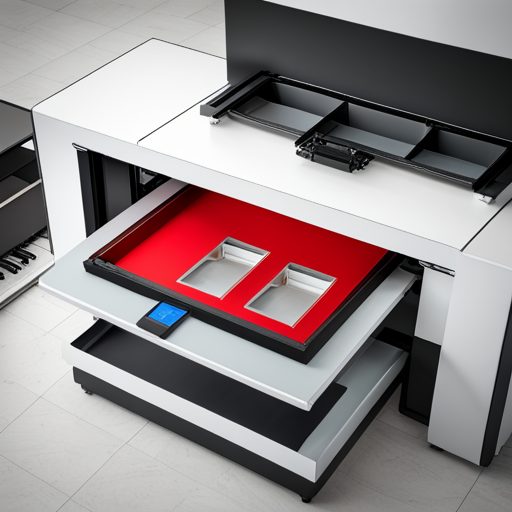
Small laser cutters and engravers are extremely versatile, finding utility across various sectors due to their compact size and functionality. The arts and crafts industry utilizes these tools extensively for detailed engraving and precision cutting of materials like wood, acrylic, and leather, breathing life into intricate designs. In the educational sector, they’re employed in technology and art classrooms to encourage hands-on learning and foster creativity among students. For small businesses, these devices are invaluable for creating custom merchandise, promotional items, or branding elements. Personalized engraving on jewelry or bespoke designs on leather goods are popular applications in the retail industry. Lastly, hobbyist model makers and DIY enthusiasts often use small laser cutters and engravers for their projects, adding a professional touch to their creations.
Laser Cutting and Engraving Metal Materials
While laser cutting and engraving are typically associated with non-metal materials, they can also be effectively applied to metals. High-powered laser cutters and engravers are capable of cutting through thin sheets of metal like stainless steel and aluminum, creating detailed patterns and designs. These machines use a high-intensity laser beam to melt, burn, or vaporize the material, offering a level of precision and accuracy unattainable with traditional cutting techniques. On the other hand, laser engraving metals involves etching designs onto the metal surface without cutting all the way through. This process is commonly used for creating intricate patterns, logos, or text on metal objects, such as jewelry, tools, industrial parts, and promotional items. Both processes are highly automated, relying on digital templates and computer-controlled laser movement for precise, consistent results.
Creating Intricate Designs on Acrylic and other Non-Metal Materials
Acrylic and other non-metal materials are popular choices for laser cutting and engraving due to their versatility and ease of manipulation. Laser machines can create highly intricate designs on these substances with remarkable precision, resulting in stunning visual effects. In the case of acrylic, laser cutting yields smooth, polished edges, eliminating the need for post-processing. This is particularly beneficial for projects that involve complex geometric shapes or detailed artwork. Laser engraving on acrylic produces a unique frosted finish, adding depth and texture to the design. Other non-metal materials such as wood, glass, and leather, respond distinctively to laser processing, each offering their unique aesthetic. For example, laser-engraved wood exhibits a rich, contrasting color change, while laser-cut leather yields clean, sealed edges. The application of laser technology on these materials has revolutionized industries such as signage, home decor, fashion, and more, opening up a world of creative possibilities.
Customization and Personalization Projects with Laser Engraving
Laser engraving has emerged as a popular choice for customization and personalization projects. The high precision and consistency of this technique make it ideal for tailoring various objects to individual preferences. From monogrammed leather wallets to personalized wooden photo frames, the possibilities are endless. In the corporate world, laser engraving allows companies to brand their logo or slogan onto promotional merchandise, enhancing their marketing strategies. In the art sector, artists use laser engraving to create unique, intricate designs on materials such as glass, adding an extra dimension to their work. This technology is also gaining traction in the jewelry industry, where it’s used to inscribe personalized messages on jewelry pieces, creating sentimental value for the end-user. The flexibility and versatility of laser engraving have unlocked a new spectrum of customization and personalization, catering to various industries and individual needs.
Small Business and Home Use of Small Laser Cutters

Small laser cutters have become increasingly accessible, both in terms of cost and user-friendliness, making them an appealing option for small businesses and home use. For small businesses, particularly those in the engraving or crafting sectors, these machines offer an opportunity to increase production efficiency and expand product offerings without significant investment. They are capable of detailing complex designs with precision, providing great flexibility and potential for innovation. For home users, small laser cutters open up a new world of creative hobbies, from personalized home decor to handmade gifts. Furthermore, with the rise of online marketplaces, home users can transform their hobby into a profitable venture by selling their creations. The availability of user-friendly software and comprehensive online tutorials has further lowered the entry barrier, making laser cutting a feasible endeavor for even non-technical users. The potential of small laser cutters in the realm of small businesses and home use is vast, and it’s exciting to envision what the future holds for this technology.
Overview of Different Industries Utilizing Small Laser Engraving Machines
Small laser engraving machines are gaining popularity across a plethora of industries due to their precision, flexibility, and cost-effectiveness.
Jewelry Industry: These machines are invaluable in the jewelry industry, where intricate designs and personalization are at the core of the craft. Laser engraving allows jewelers to etch intricate patterns and customized messages with ease and precision.
Manufacturing Industry: In the manufacturing sector, small laser engravers are used for marking parts with serial numbers, barcodes, or other identifiers, vital for inventory and quality control.
Fashion and Apparel Industry: In the field of fashion, laser engraving enables designers to create intricate patterns and textures on a range of materials, opening up new avenues for design creativity and innovation.
Woodworking and Carpentry Industry: Woodworkers and carpenters benefit from the ability to carve intricate designs and personal messages onto their creations, adding value and uniqueness to their pieces.
Promotional Products Industry: For businesses specializing in promotional products, laser engraving offers a means of adding personalized messages or logos to items such as pens, keychains, and awards, ensuring a professional finish that stands the test of time.
In conclusion, the utilization of small laser engraving machines has enabled unprecedented levels of precision and creativity in multiple industries, making them an indispensable tool in today’s market.
How to Optimize Laser Cutting and Engraving Process
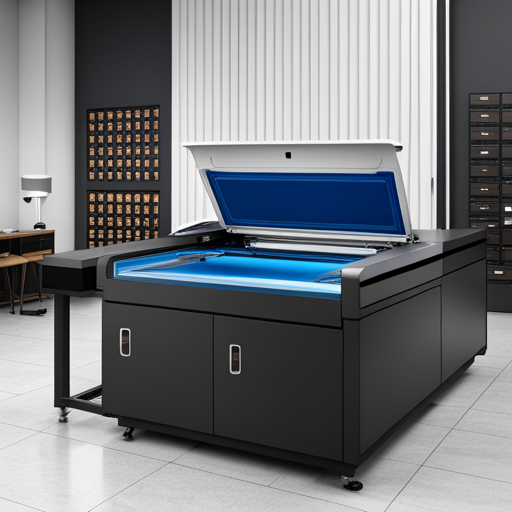
To optimize the laser cutting and engraving process, several factors must be considered:
- Material Selection: Ensure that the material is suitable for laser processing. Some materials, such as PVC, release toxic gases when laser engraved; hence they should be avoided.
- Laser Parameter Settings: Accurately setting the parameters such as power, speed, and frequency can significantly impact the quality of the output. The correct settings largely depend on the material and thickness you are working with.
- Proper Maintenance: Regular cleaning and maintenance of the laser machine can prevent dust accumulation, which may interfere with the laser’s path. Regular checks on alignment, optics, and the cooling system are essential to maintain optimal performance.
- Ventilation and Exhaust System: A good exhaust system is key to ensuring the engraving process’s efficiency and safety, as it removes smoke and debris, preventing any potential damage to the lens or material.
- Use of Air Assist: Air assist blows a constant stream of air at the point of burn while engraving, reducing flare and producing a cleaner cut.
- Software: Use software that allows you to control and adjust all aspects of the laser cutting and engraving process. This includes mapping out the design, adjusting the power and speed settings, and optimizing the engraving path.
By considering these points, users can ensure optimal use of their laser cutting and engraving machines, producing high-quality, precise outputs.
Proper Maintenance and Upkeep for Small Laser Cutter Devices
Performing regular maintenance on small laser cutter devices is crucial to maintain their efficiency and prolong their lifespan. One essential step is to clean the lens regularly to prevent buildup of dust and other residues, which can hinder the laser’s accuracy. Additionally, the machine’s interior should be cleaned to remove any debris produced during the cutting or engraving process. The exhaust system should be examined frequently to ensure it is functioning correctly, and any blockages should be immediately addressed. Furthermore, the cooling system demands regular checks to prevent overheating. Software updates must be installed promptly to ensure optimal performance and the availability of the latest features. Lastly, it is wise to routinely check components like belts, rails, and bearings for any signs of wear and tear, replacing them when necessary. Strict adherence to these maintenance guidelines can help preserve the integrity and effectiveness of small laser cutter devices.
Tips for Enhancing Precision and Accuracy in Laser Engraving
To enhance precision and accuracy in laser engraving, consider the following strategies. Firstly, proper image preparation is crucial. Use high-resolution images for better results, as lower resolution may result in pixelation that reduces the engraved image’s quality. Secondly, calibrate the machine correctly. Ensure the laser is correctly focused on the surface you’re engraving; a misaligned laser can lead to a blurry finish. Thirdly, experiment with power and speed settings. The correct balance will vary based on the material you’re working with and the desired finish, so trial and error may be necessary. Fourthly, regular maintenance is vital. Keeping the laser and the lens clean ensures that the laser’s path is unobstructed, resulting in more precise engravings. Lastly, always monitor the engraving process. Continuous supervision helps to quickly rectify any deviations from the desired path or design. By adhering to these tips, the precision and accuracy of laser engraving can be significantly improved.
Using Add-Ons such as Rotary and Air Assist for Improved Cutting Results
Add-ons like Rotary and Air Assist can greatly enhance the results of laser cutting. The Rotary add-on is particularly advantageous when working with cylindrical or round objects. It aids in achieving uniform engraving around the entire circumference of the object, providing precision that would be challenging with manual handling. On the other hand, the Air Assist add-on is integral to preventing combustion of materials during cutting and engraving tasks by introducing a stream of air at the cutting point. Not only does this help in creating cleaner cuts with less debris, but it also extends the lifespan of the laser lens by minimizing smoke damage. The use of these add-ons can result in improved cutting results, enhancing the overall quality and efficiency of the laser cutting and engraving process.
Utilizing Software like Lightburn for Advanced Laser Engraving Techniques
LightBurn software is a game-changer for advanced laser engraving, offering an intuitive platform that makes it easy to design, edit, and control the laser engraving process. It supports a wide range of laser machines, making it a versatile tool for both hobbyists and professionals. Its ability to toggle between multiple layers allows for complex designs, while user-friendly settings let you adjust power, speed, and number of passes with precision. The software also boasts a live preview feature, enabling you to anticipate the final result before the engraving process begins. Furthermore, its image tracing and vector editing capabilities make it possible to turn any sketch into a laser-ready design. Thus, the use of software like LightBurn can significantly elevate laser engraving techniques, leading to more intricate and high-quality results.
Integrating New Technology and Hybrid Laser Systems for Enhanced Capabilities
The rapidly evolving landscape of technological innovation is transforming the capabilities of laser cutting and engraving. Hybrid laser systems, which combine the precision of fiber lasers with the versatility of CO2 lasers, are at the forefront of this revolution. These systems harness the best of both types to deliver unparalleled flexibility and performance. Consequently, they can cut and engrave a wider range of materials, from metals to organic substances, with exceptional speed and accuracy.
Moreover, advancements in artificial intelligence and machine learning are being integrated into laser system software. These technologies can optimize the laser cutting and engraving process, automatically adjusting settings for maximum efficiency and precision based on the material’s characteristics. For instance, smart software can automatically identify the material type and thickness, adjusting the laser’s power and speed accordingly to ensure optimal results.
In addition, the advent of IoT (Internet of Things) is enabling real-time monitoring and control of laser systems from anywhere in the world. This connectivity allows for instant troubleshooting, predictive maintenance, and even remote operation, dramatically enhancing the user experience and the system’s overall productivity.
In conclusion, the integration of new technologies and hybrid laser systems is significantly enhancing the capabilities and efficiency of laser cutting and engraving, opening up new possibilities for both industrial applications and creative projects.
Step-by-Step Guide for Operating a Small Laser Cutter and Engraver
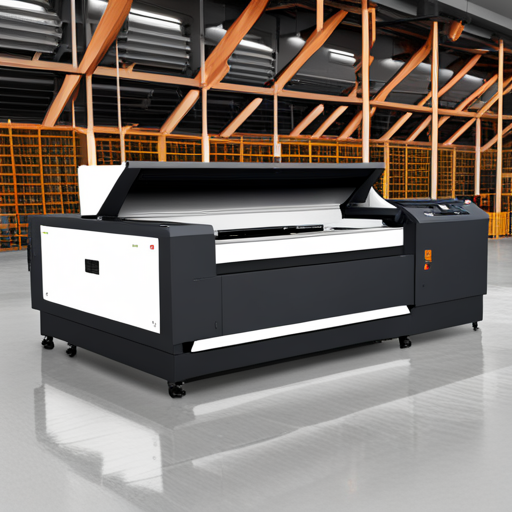
- Setup your workspace: Ensure the laser cutter is located in a well-ventilated, dry, and clean area. Make sure there is sufficient space around the machine for safe operation.
- Power up the machine: Connect the laser cutter to the power outlet and turn it on. The machine’s interface should light up and indicate it is ready for operation.
- Load the material: Open the laser cutter’s cover and place your material on the work table. Ensure the material is flat against the table and aligned with the machine’s axis.
- Adjust the settings: Based on the material you’re using, select the appropriate settings for speed, power, and resolution on the machine’s control panel. You can refer to the manual or use the smart software (if available) that automatically adjusts these settings based on the material’s characteristics.
- Set the design: Load your design using the provided software. Ensure the design fits within the parameters of your material.
- Start the operation: Once everything is set, close the machine’s cover and press the ‘Start’ button on the control panel. The laser cutter will begin engraving or cutting your design into the material.
- Monitor the process: Stay near the machine during the process to quickly respond to any potential issues. Use the remote monitoring feature if available.
- Post-operation clean up: After the laser cutter finishes its operation, wait for a few moments for any smoke or debris to clear before opening the machine’s cover. Then, carefully remove your material and clean the machine following the manufacturer’s guidelines.
Remember, safety is crucial when operating a laser cutter and engraver. Always wear appropriate protective gear, such as safety glasses and gloves, and never leave the machine unattended during operation.
Understanding the Laser Cutter and Engraver Assembly and Setup Process
To comprehend the assembly and setup process of a laser cutter and engraver, it’s important to first familiarize yourself with the core components of the machine and their functionality. The machine typically includes a laser system (comprising a laser source and mirrors to direct the beam), a control panel, a cutting table, and an exhaust system to handle fumes.
Setting up the machine begins with assembling these parts as directed by the manufacturer. This involves securing the laser system within the machine, connecting the control panel, mounting the cutting table, and setting up the exhaust system. Special care must be taken to align the mirrors correctly to ensure the laser beam’s accurate path.
The control software needs to be installed onto a connected computer, where designs can be uploaded and settings adjusted. The settings range from speed and power to resolution, all of which must be calibrated based on the material being used.
Remember, each laser cutter and engraver model may have specific setup instructions and features. Always refer to the provided user manual for the most accurate assembly and setup process. Also, prioritizing safety is paramount; ensure you wear appropriate protective gear and handle the machine responsibly.
Basic Operation and Safety Precautions for Using Small Laser Machines
Operating a small laser machine entails a set of predetermined steps to ensure the best results and safe usage. Users should start by selecting the appropriate material and placing it on the cutting table. Using the control software, upload your design and adjust the settings accordingly. Confirm the laser head’s position and press ‘Start’ to commence the operation.
Safety precautions are crucial when using a laser machine. Always wear safety glasses to protect your eyes from potential laser radiation. Gloves are recommended to shield your hands from burns and small debris. Never attempt to override safety features or interfere with the operation once it has started. Keep the work area free from flammable materials and ensure the exhaust system is functioning properly to extract fumes and airborne particles.
In case of a malfunction, immediately stop the machine and troubleshoot following the manufacturer’s guidelines. Regular maintenance, including cleaning and alignment checks, should be carried out to keep the machine in optimal condition. It’s important to remember that each machine will have specifics regarding operation and safety, so always consult the user manual for comprehensive guidance.
Tips for Achieving Optimal Settings in Laser Cutting and Engraving Tasks
Achieving optimal settings for laser cutting and engraving tasks requires a delicate balance between power, speed, and resolution. Here are some tips to help you optimize these settings:
- Power: Ideally, the power should be just enough to cut or engrave the material without damaging it or the machine. Too much power may lead to burnt edges, while too little power may result in incomplete cuts or marks.
- Speed: The machine’s speed should be adjusted based on the material and the intricacy of the design. A slower speed is ideal for thick materials and complex designs, while a faster speed works well for thin materials and simple designs.
- Resolution: The resolution determines the quality of the output. A higher resolution results in finer details, but it also increases the time taken for the process. Depending on the task, choose a resolution that offers a good balance between detail and efficiency.
- Laser Focus: Ensure the laser is correctly focused on the surface of the material. An unfocused laser will result in a wider cut or engrave line and less detail.
- Test Runs: Always conduct test runs on a sample of the material to be used. This helps determine the most effective settings before proceeding with the actual task.
Remember, these are general tips. You should always refer to the user manual for specific guidance related to your particular laser machine.
Overview of Common Troubleshooting and Maintenance Issues with Laser Devices
Laser devices, like any other machinery, are subject to potential operational issues and require regular maintenance for optimal performance. Some common issues include:
Misalignment: One of the most prevalent issues with laser devices is misalignment, which can lead to inaccurate cuts or engravings. Regularly checking and adjusting the alignment of the laser is crucial.
Dirty Optics: Over time, debris and residue can accumulate on the laser’s optics, reducing the quality of output and potentially damaging the equipment. Cleaning the optics with appropriate cleaning tools and solutions, as recommended in the user manual, can mitigate this issue.
Inadequate Cooling: Laser devices generate heat and require sufficient cooling to function properly. Insufficient cooling can lead to overheating and subsequent damage. Regular inspection and maintenance of cooling systems are essential.
Software Problems: Software issues can result in unexpected machine behavior or errors. It’s important to keep the device’s software up-to-date and to consult the user manual or customer support in case of persistent software problems.
Regular preventive maintenance can alleviate many of these issues, facilitating consistent performance and extending the lifespan of the device. Always follow the manufacturer’s instructions for maintenance and troubleshooting.
Best Practices and Resources for New Users of Small Laser Cutter and Engraver Machines
As a new user of small laser cutter and engraver machines, it’s paramount to familiarize yourself with the device and adhere to best practices to ensure safety and optimal machine performance.
Read the User Manual: The user manual provides a comprehensive guide on machine operation, safety procedures, maintenance requirements, and troubleshooting tips. It’s advisable to read the manual thoroughly before starting any work with the machine.
Proper Training: If training is available, take advantage of it. This can be in the form of online tutorials, workshops, or manufacturer-provided training sessions. Training equips new users with essential knowledge and skills for proper machine operation.
Use Suitable Materials: Always use materials that are compatible with your laser cutter and engraver machine. Incompatible materials can damage the machine or produce hazardous fumes.
Wear Protective Gear: Always wear safety glasses to protect your eyes from potential laser reflections. Use heat-resistant gloves while handling hot materials or components.
Keep Workspace Clean: A clean workspace reduces the risk of fires and ensures that the machine operates efficiently. After each use, clean the machine and the surrounding area.
Maintenance: Regular maintenance includes cleaning, aligning, and inspecting the machine’s components. This can prevent most common issues and extends the lifespan of the machine.
Safety Precautions: Never leave the machine unattended while it’s operating. Be familiar with your machine’s emergency stop function.
Utilize Online Resources: There are many online communities and forums where laser cutter and engraver enthusiasts share their experiences, tips, and tricks. Websites like LaserGods.com and forums like Sawmill Creek or CNC Zone have vast repositories of information beneficial for beginners.
The road to mastering the use of small laser cutter and engraver machines can be challenging but rewarding. Always keep safety in mind, and never stop learning.
Frequently Asked Questions

Q: What are the best small laser cutters and engravers available in 2024?
A: In 2024, the best small laser cutters and engravers include models designed for cutting metal and non-metal materials
Q: What is a CO2 laser cutter and engraver?
A: A CO2 laser cutter and engraver is a type of laser system that utilizes a carbon dioxide laser tube to perform cutting and engraving on various materials, including wood, metal, and more.
Q: How does a laser cutting machine work?
A: A laser cutting machine works by directing a high-powered laser beam through the material to be cut or engraved. The focused laser beam melts, burns, or vaporizes the material, resulting in precise cuts or markings.
Q: What is the difference between a metal laser cutter and a CO2 laser cutter?
A: A metal laser cutter is specifically designed to cut metal materials, while a CO2 laser cutter can be used for a wider range of materials, including wood, acrylic, and paper, in addition to some metals.
Q: Which is the best laser marking machine for industrial applications?
A: The best laser marking machines for industrial applications are those equipped with advanced laser heads and cutting power suitable for marking and engraving metal and non-metal materials.
Q: What are the key features to look for in the best laser cutters and engravers?
A: When choosing the best laser cutters and engravers, it’s important to consider factors such as cutting power, cutting head technology, compatibility with different materials, and the ability to effectively manage smoke produced during laser operations.
Q: Are there affordable options for small laser cutters and engravers?
A: Yes, there are several budget-friendly options for small laser cutters and engravers that offer reliable performance and versatility, such as mini laser systems and new CO2 laser tube models.
Q: What is a mixed laser system and how is it beneficial?
A: A mixed laser system is designed to integrate different laser technologies, such as fiber and CO2 lasers, for enhanced versatility in cutting a wide range of materials, including metal and non-metal substances.
Q: Do I need a specific laser for cutting metal materials?
A: Yes, a specific metal laser cutter is recommended for cutting metal materials due to its specialized cutting head and cutting power, tailored specifically for metal cutting applications.
Q: How can I effectively remove smoke created during laser cutting and engraving processes?
A: To effectively manage smoke produced during laser operations, it’s important to invest in a laser cutter or engraver equipped with a reliable smoke evacuation system, such as the Laser Falcon, to divert the smoke away from the laser work area.
References
- “Laser Cutter, Engraver, & Marking Machines | Boss Laser” – BOSSLASER: A manufacturer’s site with detailed machines’ specifications and user guides. It provides insight into various small laser cutter and engraver machines ideal for metals and more.
- “Small Laser Cutters for metal: A Review” – TechRadar: An online tech magazine that offers an up-to-date review on different small laser cutters suitable for metal, analyzing their performance, durability, and pricing.
- “Best Laser Engravers of 2024: Reviews and Buying Guide” – PCMag: A comprehensive buying guide and reviews of the top laser engravers of 2024, focusing on small machines.
- “2024’s Top Picks for Small Laser Cutters and Engravers: A Comparative Study” – Journal of Applied Physics: An academic journal article presenting a rigorous comparative study and scientific analysis of top small laser cutters and engravers of 2024.
- “Forums and Discussions on Small Laser Cutters and Engravers” – CNC Zone: An online community where enthusiasts share experiences, tips, and tricks on laser cutting and engraving.
- “Exploring the Market: The Best Small Laser Cutter and Engraver Machines in 2024” – Forbes: A market exploration article providing a high-level overview of the best options in the 2024 market.
- “Laser Cutting & Engraving Machines: A Market Analysis” – ResearchGate: A detailed market analysis of laser cutting and engraving machines, providing a global perspective of the most popular and efficient models.
- “The Future of Laser Cutting and Engraving: Trends to Watch in 2024” – TechCrunch: An article highlighting the latest trends in laser cutting and engraving, including predictions for top picks in 2024.
- “Laser Cutter and Engraver: A User’s Manual” – Epilog Laser: Manufacturer’s manual providing user guidelines and safety precautions for small laser cutter and engraver machines.
- “Best Small Laser Cutters and Engravers: Blog Post” – LaserGods: A blog post by laser machine enthusiasts reviewing the best small laser cutters and engravers for metal and more.
Recommended Reading:CNC Knife Cutting Machine


